
Vibe Coding With Claude: The Complete Beginner Tutorial (2026)
Key takeaways
- You do not need to write code to build with Claude, but you do need to understand what it produces: builders who asked follow-up questions scored 65%+ on comprehension versus under 40% for those who blindly accepted code (Anthropic research, 2026).
- Claude Pro at $20/month defaults to the Sonnet model and unlocks full Claude Code, which is enough for most beginners (Claude Help Centre, 2026).
- Default to Sonnet: it scores within about one point of Opus on coding benchmarks and handles roughly 90% of tasks (SWE-bench, 2026).
- Anthropic doubled Claude Code’s 5-hour limits on 6 May 2026 and raised weekly limits 50% through 13 July 2026 (9to5Google, 2026).
- Anthropic publishes usage multipliers, not exact token quotas, so any precise per-window token figure you see was invented (Claude Help Centre, 2026).
- The single most common beginner mistake is treating Claude like a vending machine: prompt in, finished app out (Claude Code docs, 2026).
Vibe coding is building software by describing what you want in plain English while an AI writes and edits the code, and you supervise.
Claude, and its terminal tool Claude Code, is one of the most capable ways to do it in 2026.
This tutorial is written for non-developers: no prior coding, no computer-science background, and no assumption that you live in a terminal.
It walks through what to expect, which plan to pick, the workflow that produces working results, and the mistakes that quietly waste your first week.
1 What vibe coding with Claude actually means
You describe an outcome in ordinary language, Claude proposes the code, and you accept it or ask for changes; you direct the work rather than type it.
The phrase covers two related things that are easy to confuse.
The first is chatting with Claude in a browser or app to generate snippets and explanations.
The second is Claude Code, a tool that runs on your computer and can read your files, run commands, and make changes across a whole project while you watch.
For building a real, working app rather than isolated snippets, Claude Code is the version that matters, and it is what this tutorial focuses on.
If you are still deciding whether Claude is even the right tool for your idea, our comparison of which AI coding tool actually ships products is a useful sense-check before you commit.
2 Do you need to know how to code?
No, but the data is blunt about what does matter: understanding what Claude produces predicts success far more than any coding background.
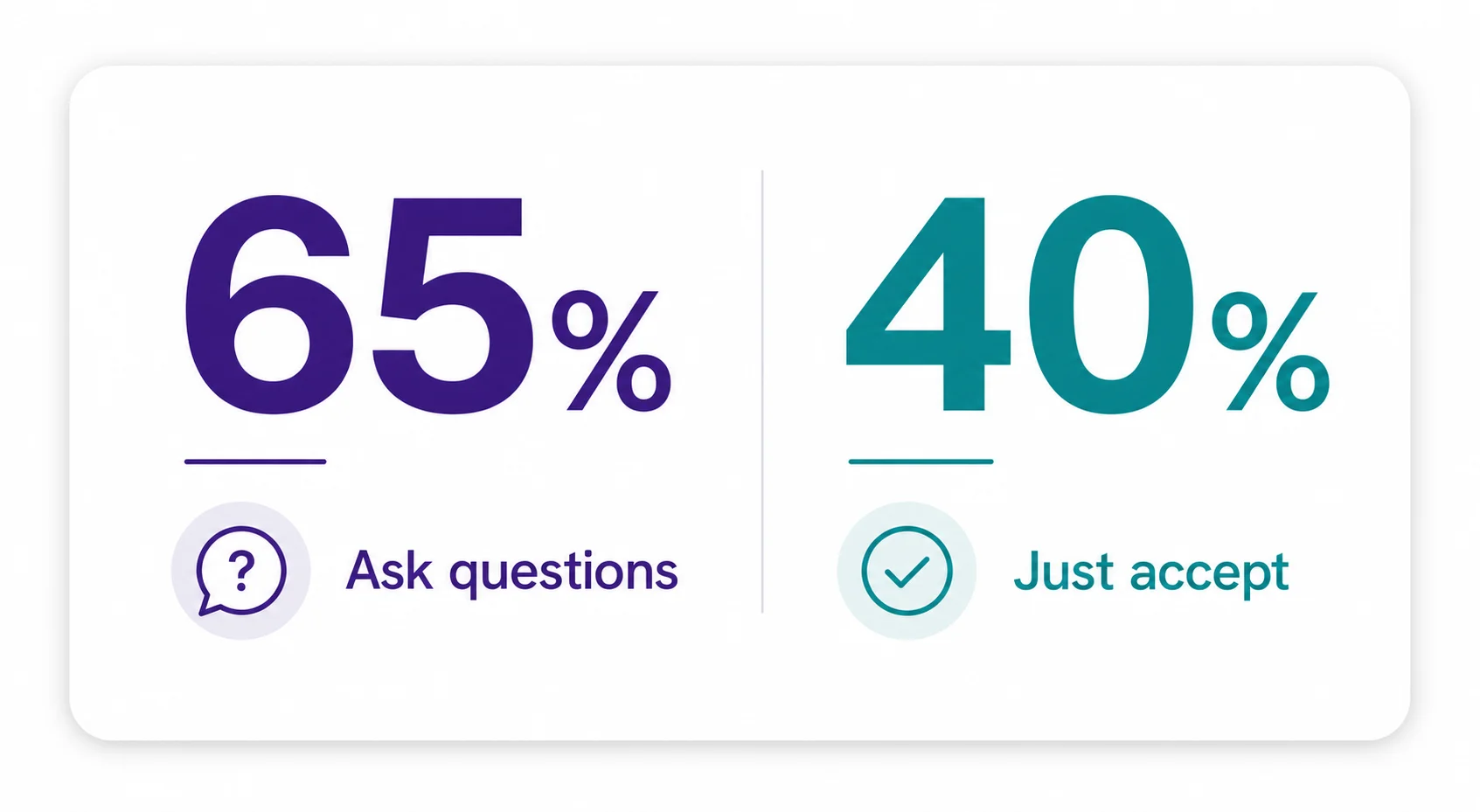
In Anthropic’s 2026 research, builders who asked follow-up questions about the generated code scored over 65% on comprehension, while those who simply accepted whatever Claude produced scored below 40%.
That gap is the whole game.
It is tempting to treat the AI as an oracle, but the people who ship working products are the ones who keep asking Claude to explain what it just did and why.
Set your expectations honestly, too.
In the most rigorous controlled study available, the METR field study of July 2025, experienced developers actually took 19% longer to finish tasks with AI tools while believing they were 20% faster.
No study has yet measured how many non-developers start vibe coding and successfully ship a product with real users, which is exactly why our breakdown of what the success-rate data actually shows matters more than vendor marketing.
The takeaway is not that it is hopeless, it is that comprehension and iteration, not raw speed, are what carry an app over the line.
3 Which plan and model do you need?
Start on Claude Pro at $20 a month using the Sonnet model; it unlocks full Claude Code and covers the vast majority of beginner work.
| Plan | Price | What you get |
|---|---|---|
| Pro | $20/mo | Full Claude Code, defaults to Sonnet, roughly 45 prompts per 5-hour window (approximate) |
| Max 5x | $100/mo | 5x Pro usage, adds Opus access and higher weekly limits |
| Max 20x | $200/mo | 20x Pro usage, adds Opus access, for heavy daily building |
| Source: Claude Help Centre, 2026. Anthropic does not publish exact token quotas; the ~45 prompts figure is an external estimate. | ||
The limits are shared across the Claude apps and Claude Code under one subscription, so heavy chat use eats into your Claude Code budget and vice versa.
Sonnet or Opus?
For a beginner the honest answer is Sonnet, and the benchmark gap explains why.
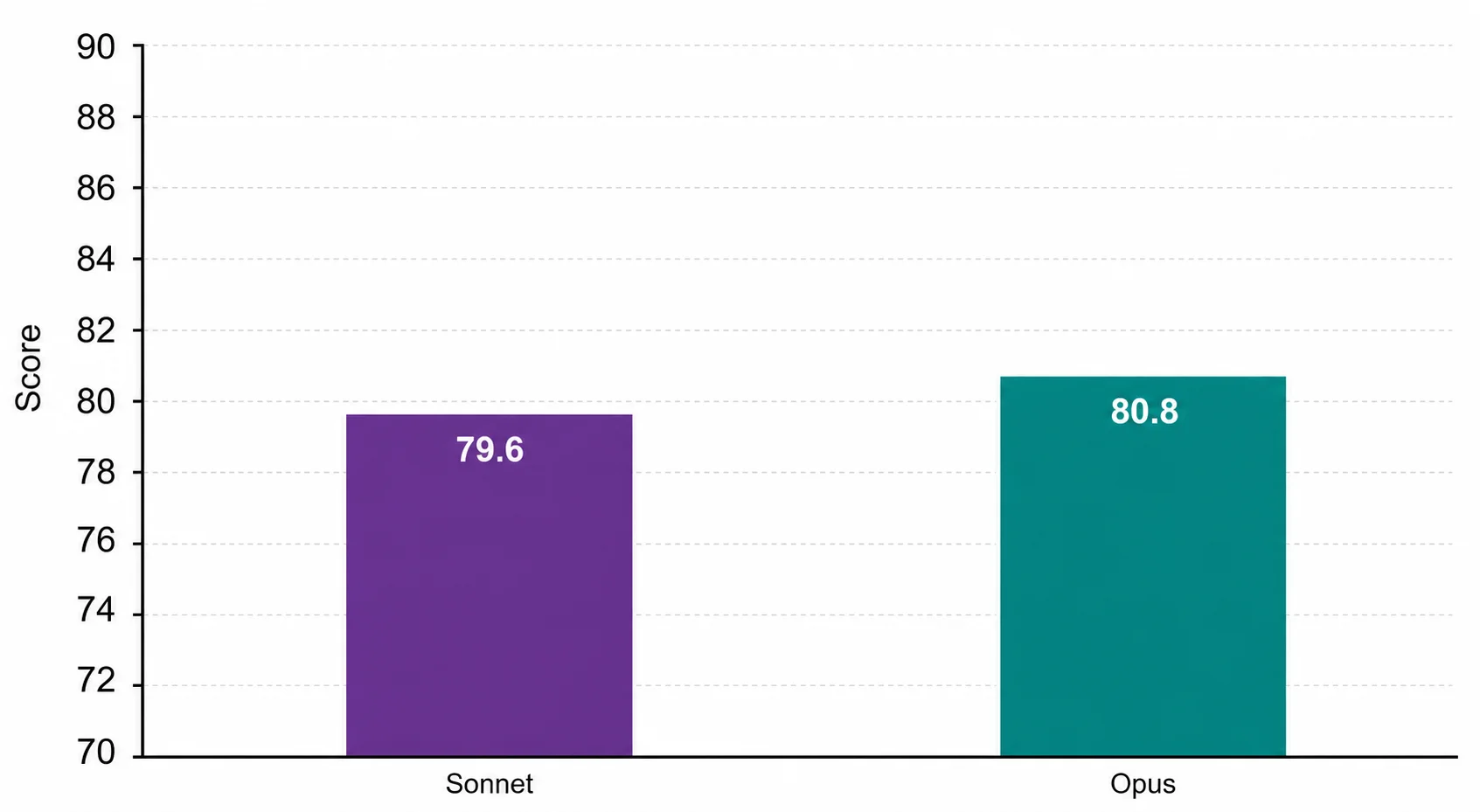
On the SWE-bench coding benchmark, Sonnet scores 79.6% against Opus at 80.8%, a difference of roughly one point.
The consensus guidance for 2026 is to default to Sonnet for around 90% of coding tasks and only reach for Opus on complex, reasoning-heavy work.
For a first app, Sonnet on the Pro plan is plenty, and you can upgrade later if you genuinely hit a wall.
4 The four-step workflow that gets results
Anthropic’s own recommended workflow separates thinking from doing: explore, then plan, then build, then verify.
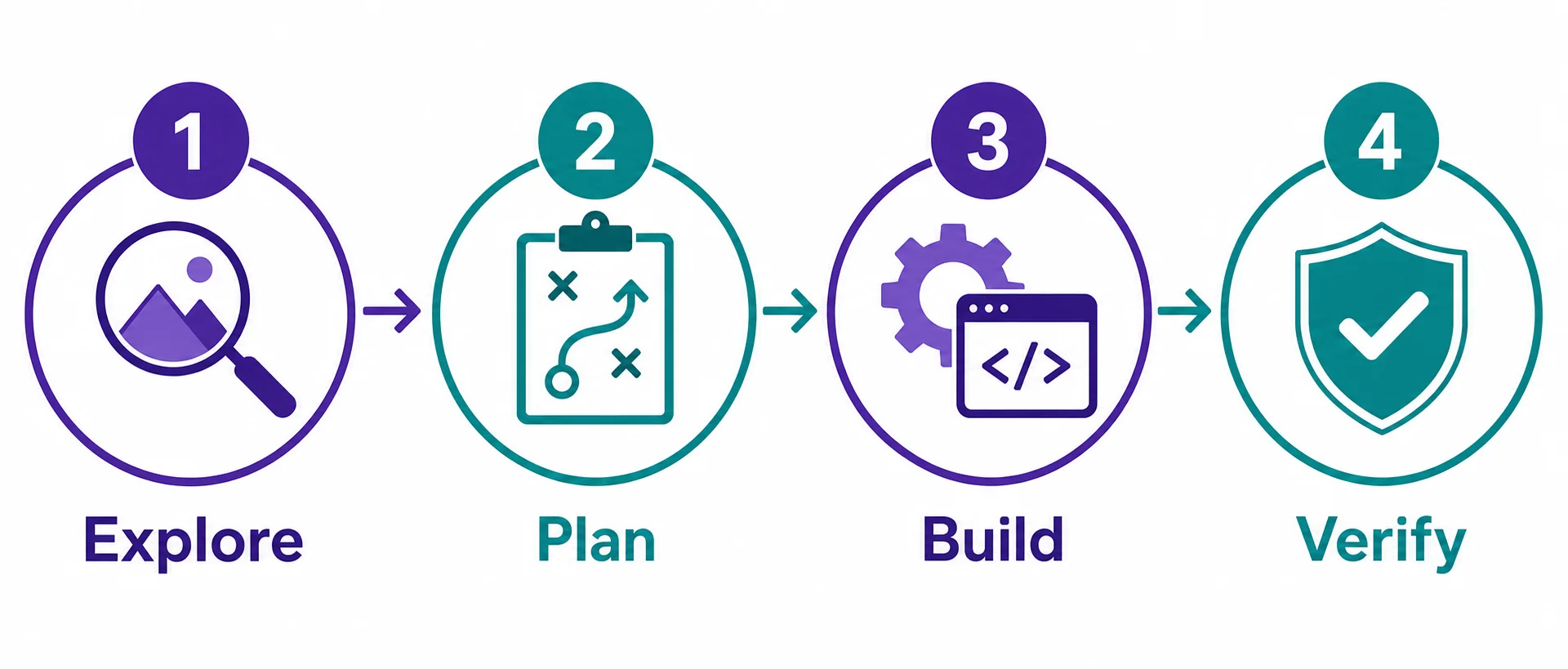
Letting Claude jump straight to coding is how beginners end up with an app that solves the wrong problem.
Explore
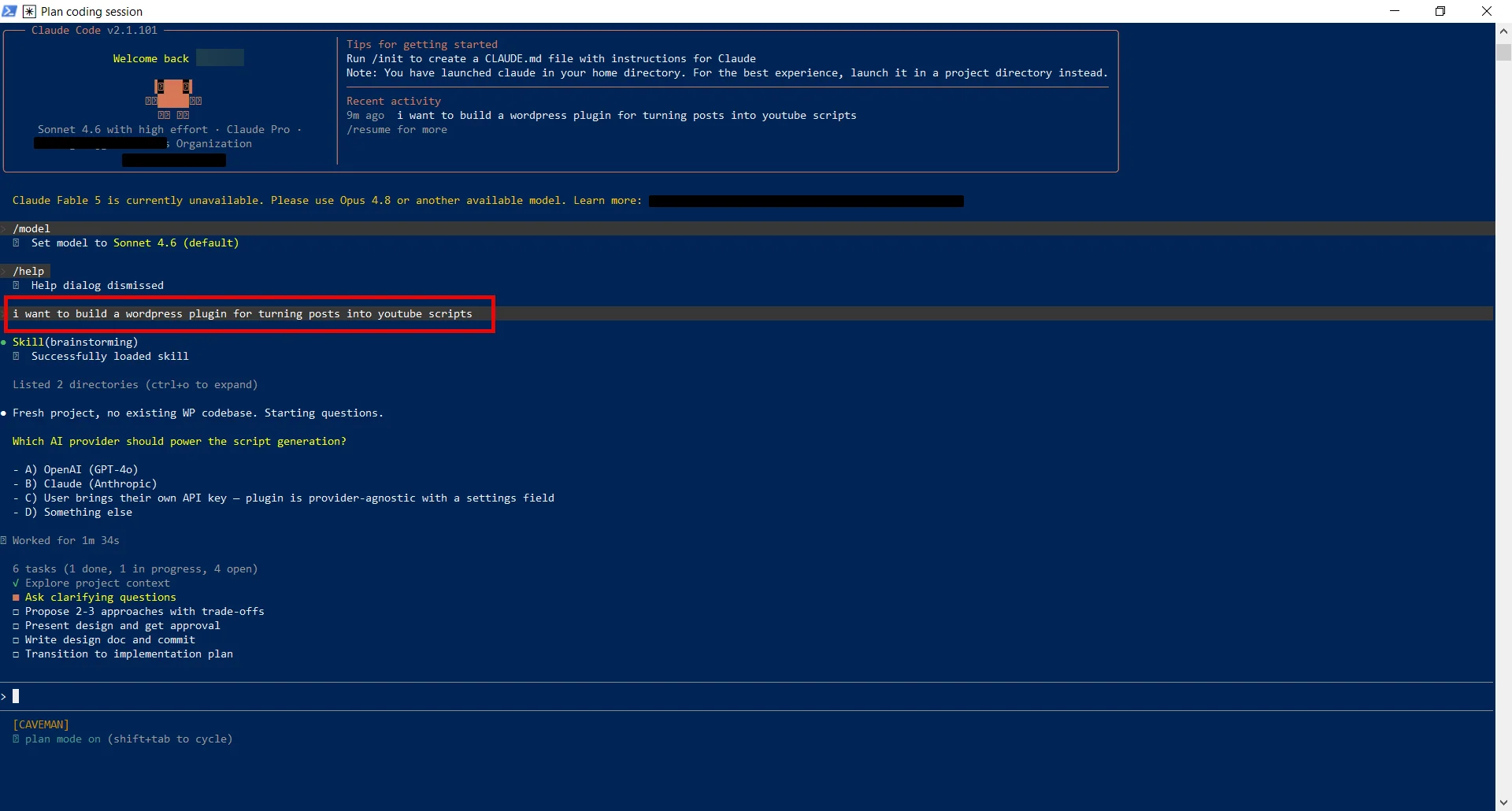
Use Plan Mode first, where Claude reads files and answers questions without changing anything.
Ask it to look at what exists and explain how the pieces fit together before you ask for any change.
Plan
Ask Claude to write a detailed plan of what it will build and which files it will touch, then read it back before approving.
This is the step most beginners skip, and it is the cheapest place to catch a misunderstanding.
Build
Switch out of Plan Mode and let Claude implement against the plan you both agreed.
Give specific instructions: name the file, describe the scenario, and say what a finished result looks like, because precise prompts need far fewer corrections than vague ones.
Verify
Give Claude a way to check its own work, such as a test to run or a screenshot to compare against.
When Claude can see a pass or fail, it will keep fixing its own mistakes instead of waiting for you to spot every one.
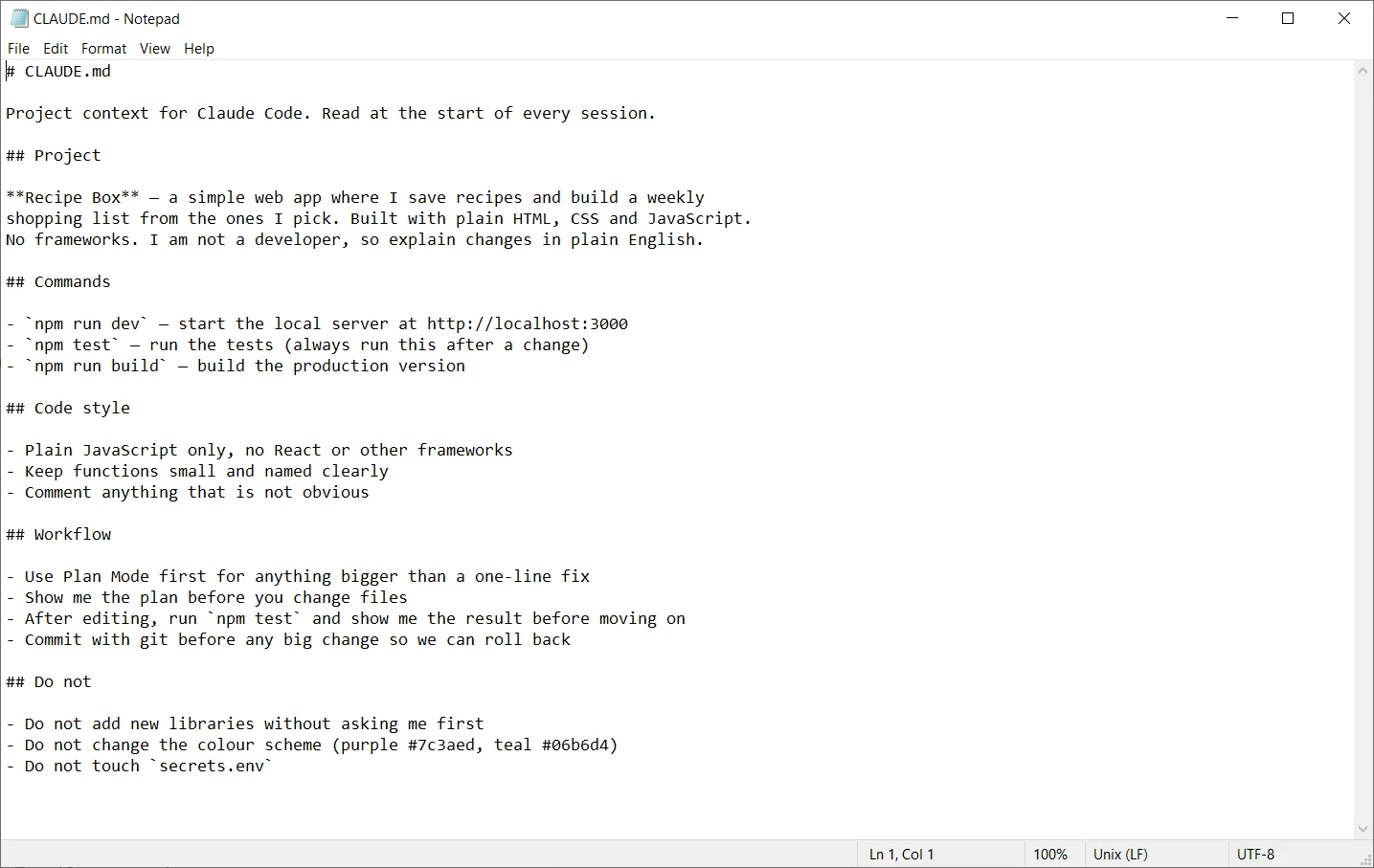
Two commands make the whole loop safe to experiment in: type CLAUDE.md once to store your project’s rules so Claude reads them every session, and press Escape twice or run /rewind to roll back if something goes wrong.
5 Claude Code usage limits, explained simply
There are two limits, a 5-hour rolling window and a weekly cap, both shared between the Claude apps and Claude Code, and both were raised in 2026.
| Limit | How it works | 2026 change |
|---|---|---|
| 5-hour window | rolling | Doubled on 6 May 2026; peak-hour reductions removed |
| Weekly cap | per plan | Raised 50% through 13 July 2026 |
| Exact token quota | not published | Multipliers only: Pro 1x, Max 5x, Max 20x |
| Source: 9to5Google and Claude Help Centre, 2026 | ||
The practical point for a beginner is that you will rarely hit these limits on a first project, and when you do, the fix is to work in focused bursts rather than leaving Claude running on tangents.
If you do find yourself bumping into the 5-hour window, our guide to Claude’s 5-hour usage limit and the warmup-timer trick explains how to time your sessions so the window resets in your favour.
Anything you read that quotes an exact token count per window is guessing, because Anthropic only publishes the relative multipliers, not the underlying numbers.
One thing worth understanding early is that Claude Code runs on your own machine, so a closed laptop ends the session.
If you want Claude Code to keep working on long builds without your computer staying awake, running it on a small always-on server is the usual answer, which is what our guide to the best VPS for Claude Code walks through.
Hostinger VPS for persistent Claude Code sessions
Because Claude Code stops when your laptop sleeps, a low-cost VPS lets long builds run unattended; Hostinger’s plans are the option we point beginners to for an always-on Claude Code box.
Start on Hostinger →6 Six beginner mistakes to avoid
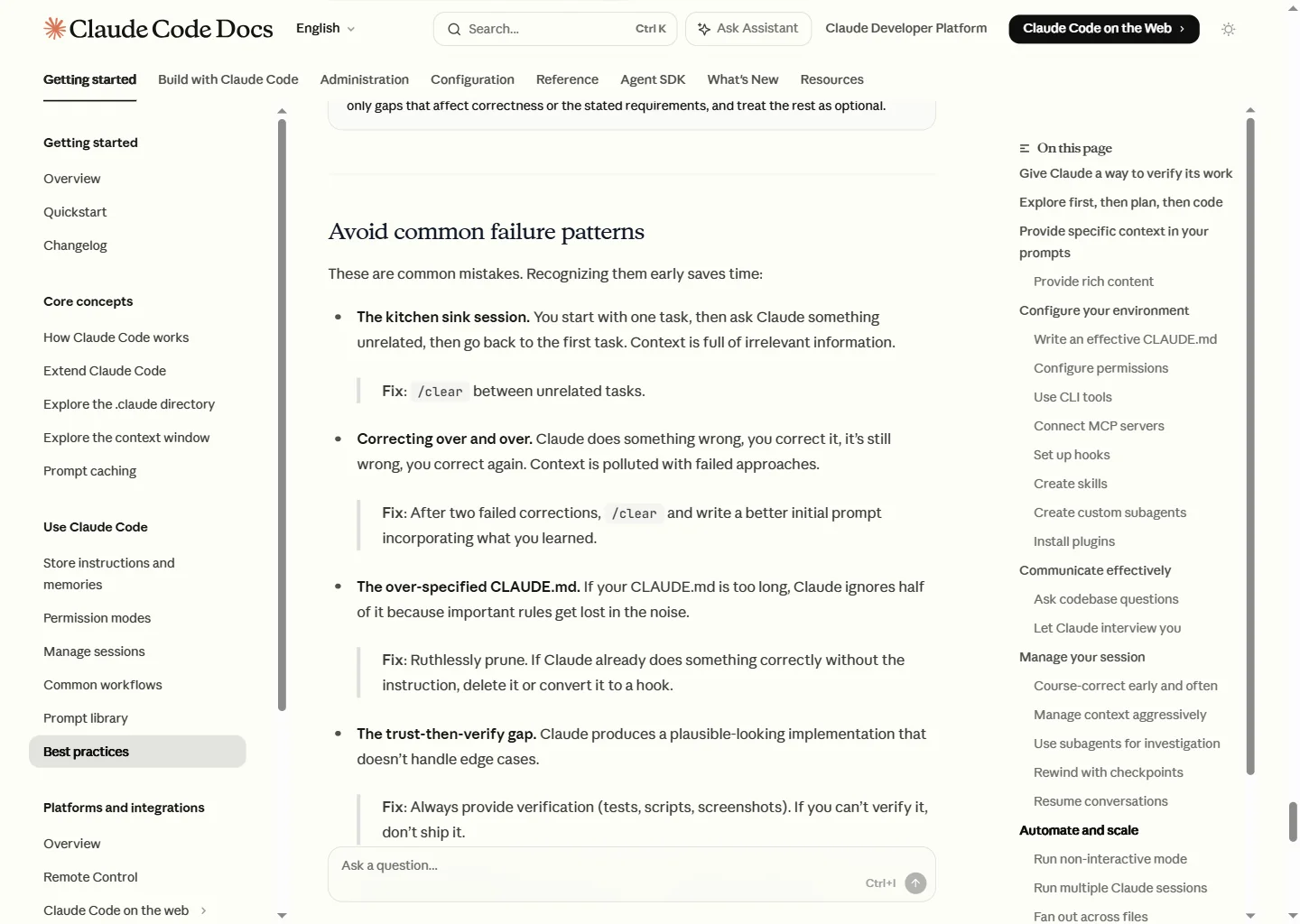
Almost every first-week problem traces back to one of these six habits, and all six come straight from Anthropic’s own best-practice guidance.
| Mistake | The fix |
|---|---|
| Treating Claude like a vending machine, expecting perfect code from one prompt | Plan first, verify the output, iterate |
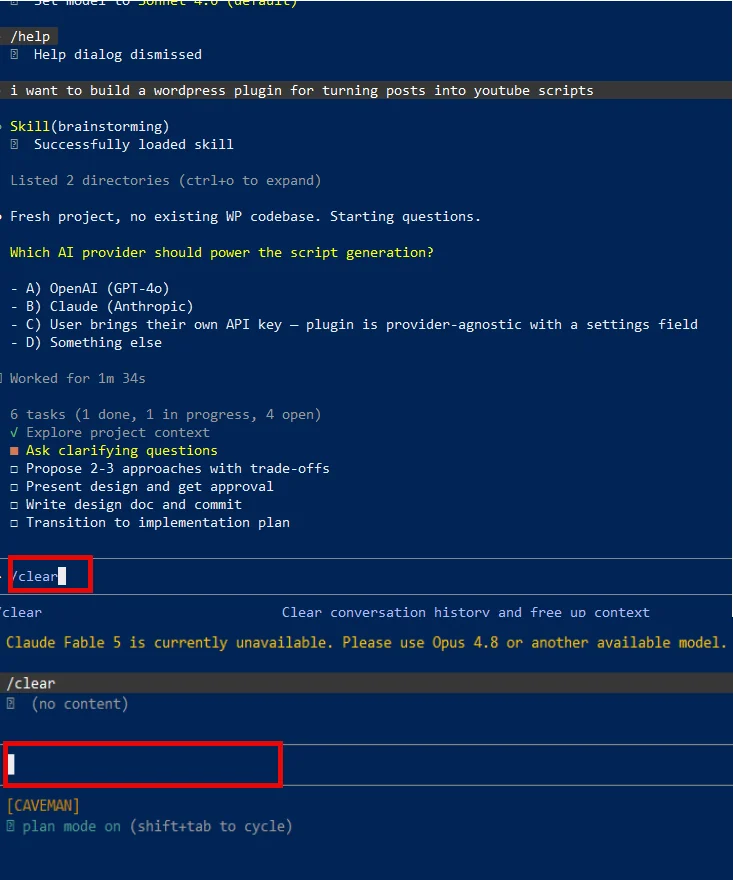
| The kitchen-sink session, mixing unrelated tasks in one chat | Type /clear between unrelated tasks |
| Correcting in circles when a fix keeps failing | After two failed tries, /clear and rewrite a better prompt |
| Skipping CLAUDE.md, so Claude guesses your conventions | Run /init in your first session and refine it |
| An over-stuffed CLAUDE.md that Claude half-ignores | Keep it short; cut anything Claude already does right |
| No safety net before a big change | Use /rewind, and commit with git first |
| Source: Claude Code best practices documentation, 2026 | |
The pattern across all six is the same lesson from section two: you stay in the loop, ask questions, and keep your context clean, and Claude does the typing.
Which Claude plan should you start on?
Pick how often you expect to build, and we will suggest a starting plan.
Methodology
This tutorial draws on official Anthropic documentation for Claude Code, the Claude Help Centre for plan and usage details, reputable reporting on the 2026 limit changes, and current research on vibe coding outcomes.
- Sources consulted: 22 across official documentation, journalism, research and quality secondaries
- Sources cited: 12, including 3 official Anthropic primary sources
- Data range: July 2025 to June 2026
- Last verified: 18 June 2026
- Note: usage-limit figures are time-bound and were accurate as of the dates shown; check the Claude Help Centre for the current position
Frequently asked questions
Do I need to know how to code to vibe code with Claude?
No, you describe what you want in plain English and Claude writes and edits the code while you supervise.
The data shows the bigger predictor of success is not coding background but whether you understand what Claude produces: builders who asked follow-up questions scored over 65% on comprehension versus under 40% for those who blindly accepted code.
How much does it cost and which plan do I need?
Claude Pro is $20 a month, defaults to the Sonnet model and unlocks full Claude Code, which is plenty for a beginner.
Max costs $100 a month for 5x usage or $200 for 20x, adding Opus and higher limits if you build heavily.
Should I use Sonnet or Opus?
Default to Sonnet, because it scores within about one point of Opus on coding benchmarks and handles roughly 90% of tasks.
Reserve Opus for complex, reasoning-heavy work where the extra cost is justified.
What are Claude Code’s usage limits?
There is a 5-hour rolling window and a weekly cap, shared across the Claude apps and Claude Code.
Anthropic doubled the 5-hour limits on 6 May 2026 and raised weekly limits 50% through 13 July 2026, and it does not publish exact token figures, so treat any precise per-window number as a guess.
What is the biggest beginner mistake?
Treating Claude like a vending machine: dropping in a prompt and expecting finished, working code.
Plan first, give Claude a way to verify its work, and iterate, and you can read the full complete guide to vibe coding for the wider picture.
Can Claude actually build a real app I can ship?
Yes, but set expectations honestly: no study has measured how many non-developers successfully ship a product, and even experienced developers in one controlled study were 19% slower with AI while feeling faster.
Comprehension and iteration, not speed, are what get an app over the line, and if you are unsure Claude is the right fit you can take the vibe coding tool finder quiz first.
Sources & references
- Anthropic. “Use Claude Code with your Pro or Max plan.” Claude Help Centre. support.claude.com. Accessed 18 June 2026.
- Anthropic. “Best practices for Claude Code.” Claude Code Docs. code.claude.com. Accessed 18 June 2026.
- Anthropic. “Pricing.” Claude API Docs. platform.claude.com. Accessed 18 June 2026.
- 9to5Google. “Claude Code is getting higher usage limits, doubled for most users.” 9to5google.com. Accessed 18 June 2026.
- Apidog. “Claude Code weekly limits 50% increase, July 2026.” apidog.com. Accessed 18 June 2026.
- Morph. “Claude Code Usage Limits (2026).” morphllm.com. Accessed 18 June 2026.
- TrueFoundry. “Claude Code Rate Limits and Usage Quotas Explained (2026).” truefoundry.com. Accessed 18 June 2026.
- Keyhole Software. “Vibe Coding Trends 2026.” keyholesoftware.com. Accessed 18 June 2026.
- CodingWithVibe. “Vibe Coding Success Rate for Non-Developers (2026).” codingwithvibe.com. Accessed 18 June 2026.
- Orbilon Tech. “Claude Sonnet vs Opus 2026 Cost Comparison.” orbilontech.com. Accessed 18 June 2026.
- ValueAdd VC. “Claude Opus vs Sonnet vs Haiku 2026.” valueaddvc.com. Accessed 18 June 2026.
- AdventurePPC. “The Real Learning Curve of Claude Code.” adventureppc.com. Accessed 18 June 2026.