Claude’s 5-Hour Usage Limit: The Warmup Timer Trick That Actually Works (2026)
Key Takeaways
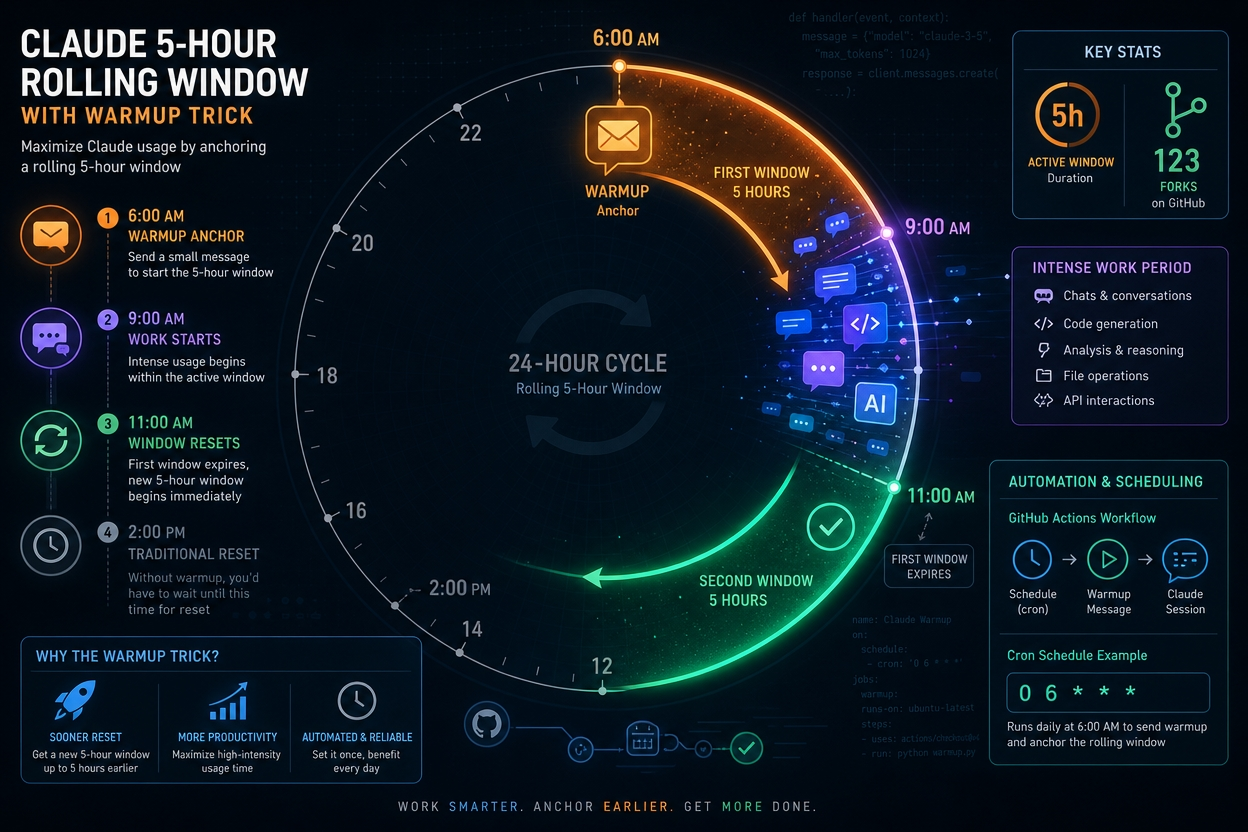
- → The Claude 5 hour limit trick works by anchoring your rolling window early, so a fresh one arrives exactly when you need it
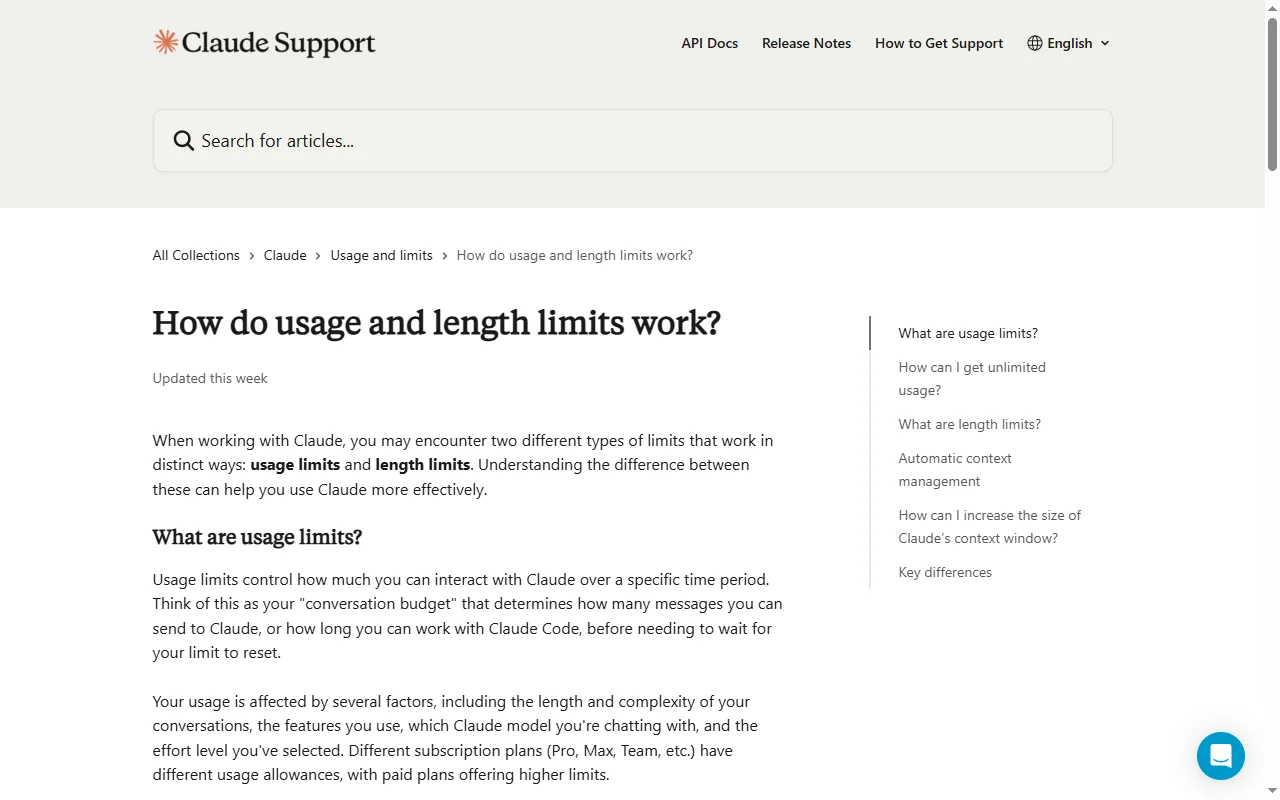
- → Claude’s limit runs on a rolling 5-hour window that starts from your first message, not at midnight or any fixed reset time. (Claude Help Centre, 2026)
- → The budget window floors to the clock hour of your first message: a ping at 6:15 AM anchors to 6:00 AM, giving you a 6:00–11:00 AM window. (apidog.com, 2026)
- → A separate 7-day rolling weekly cap exists independently, and the warmup trick cannot bypass it. (CometAPI, 2026)
- → Anthropic injects its own internal “Warmup” message into Claude Code sessions using the identical mechanic, peaking at 65.2% of sessions in v2.0.26. (GitHub Issue #10392)
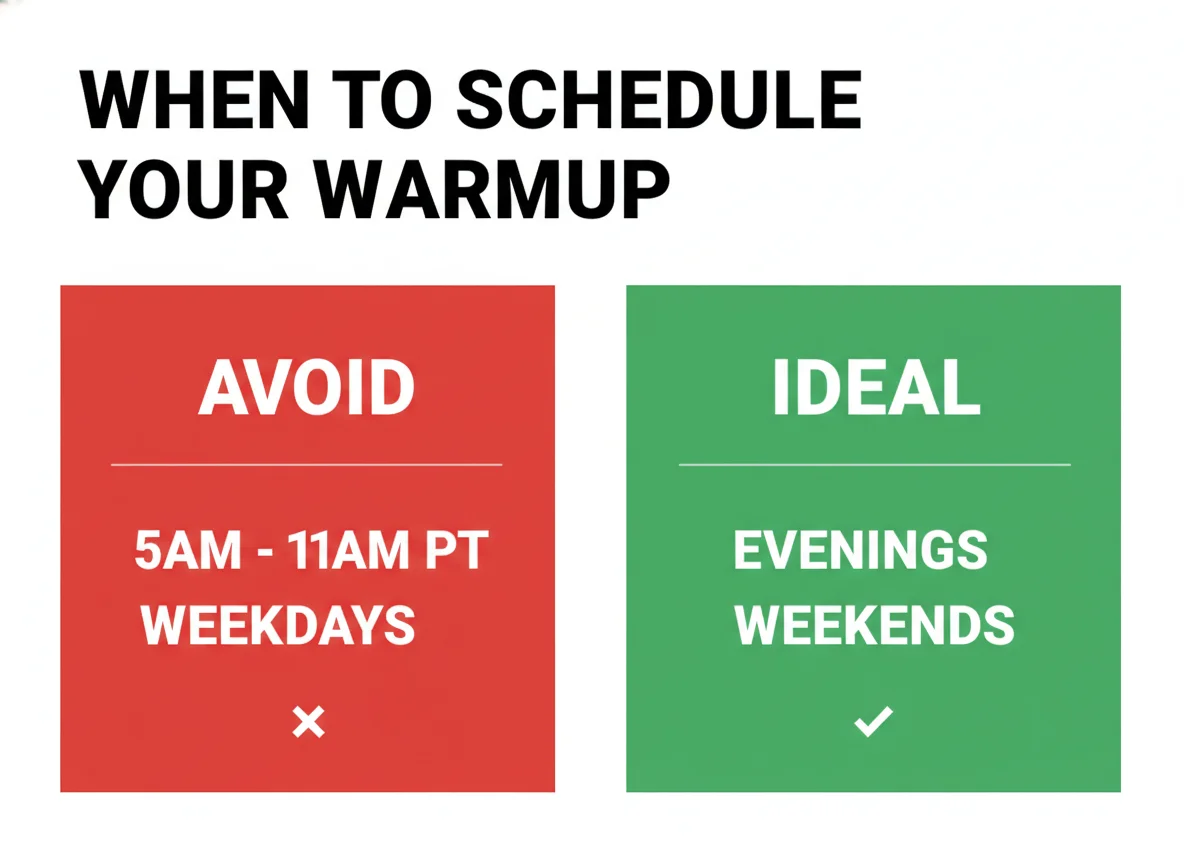
- → During weekday peak hours (5am–11am PT), limits burn faster even with identical workloads. (J.D. Hodges, 2026)
- → All Claude interfaces, including claude.ai, Claude, and Claude Code, draw from the same shared pool. (LaoZhang AI Blog, 2026)
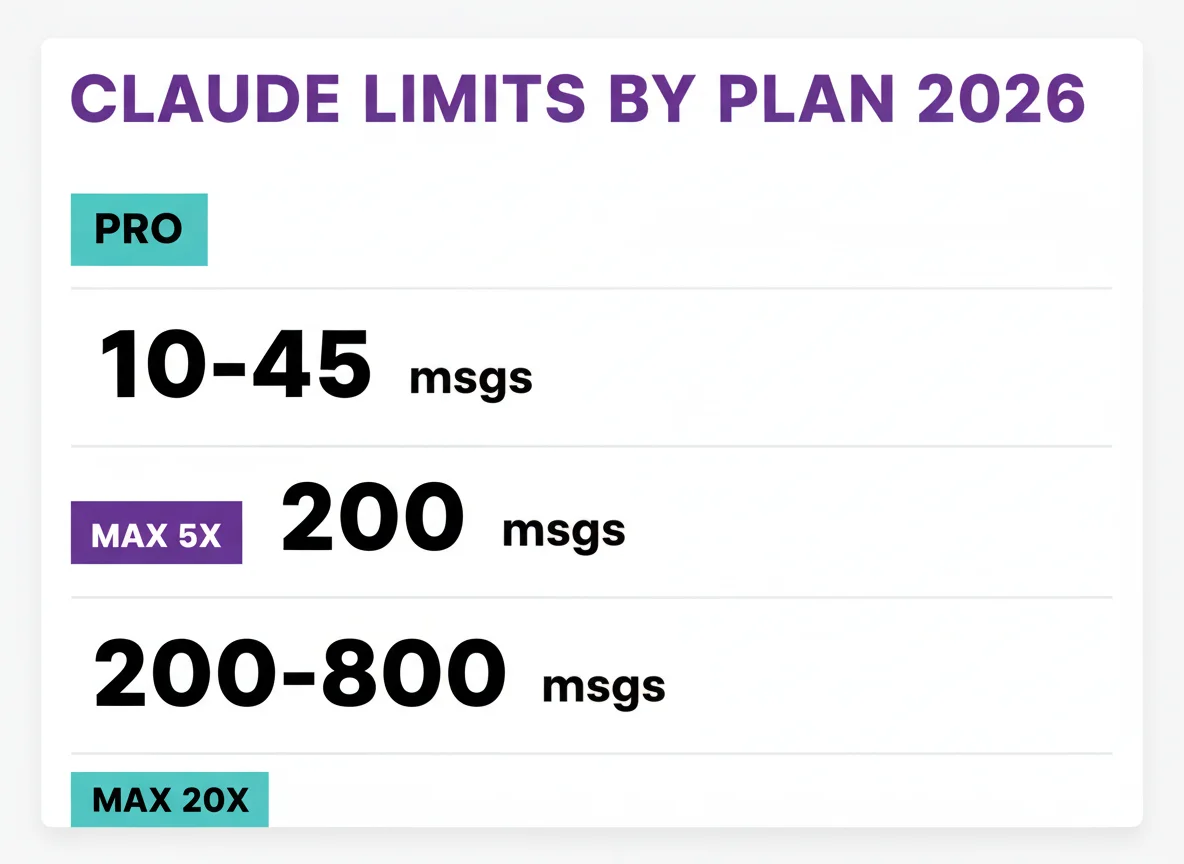
- → Pro plan users get approximately 10–45 messages per 5-hour session; Max 20x users get 200–800 messages. (Portkey.ai, CometAPI, 2026)
Vibe coders working with Claude have discovered a technique that effectively doubles productive session time without paying for a higher plan.
The trick involves sending a single throwaway message to Claude early in the morning, hours before your real work begins, to strategically anchor your 5-hour usage window so it expires precisely when you need a fresh one.
This guide explains the exact mechanics, the specific CLI command developers are using, and why Anthropic validates the technique by doing the same thing internally.
1 The Claude 5 Hour Limit Trick: How the Rolling Window Works
Claude’s usage limit resets 5 hours after your first message, not at midnight or at any fixed clock time. Send your first message at 9:00 AM on a Monday and your limit refreshes at 2:00 PM, regardless of the day or date.
Most vibe coders assume there is a daily reset, perhaps at midnight in their timezone, that clears their quota each morning.
There is not.
According to the Claude Help Centre, the limit is a rolling window, meaning messages you sent 5 or more hours ago gradually age out and stop counting against your quota.
| METRIC | VALUE | SOURCE |
|---|---|---|
| Window type | Rolling 5-hour | Claude Help Centre |
| Timer start | First message sent | Claude Help Centre |
| Pro messages per session | ~10–45 msgs | CometAPI / Portkey.ai |
| Max 5x messages per session | ~50–200 msgs | Portkey.ai |
| Max 20x messages per session | ~200–800 msgs | Portkey.ai |
| Weekly cap (separate) | 7-day rolling | CometAPI |
The practical consequence is that two identical users, one who starts working at 7:00 AM and one who starts at 10:00 AM, will hit their limit and get a fresh window at completely different times.
This variability is the mechanism the warmup trick exploits.
Understanding which AI coding tool works best for your workflow depends partly on how these limits interact with your typical working hours.
2 The Clock-Hour Anchoring Mechanic Most People Miss
Claude Code does not start your 5-hour window at the exact minute you send your message. It floors the start time to the nearest clock hour. A message sent at 8:47 AM anchors to 8:00 AM, creating a window that runs 8:00–13:00, not 8:47–13:47.
This is the detail most guides miss entirely, and it matters for precise scheduling.
According to both the claude-warmup repository and apidog.com’s analysis, Claude Code’s budget windows are floored to clock hours rather than calculated from the exact minute of the first message.
| FIRST MESSAGE SENT AT | WINDOW STARTS AT | WINDOW EXPIRES AT |
|---|---|---|
| 6:15 AM | 6:00 AM | 11:00 AM |
| 8:47 AM | 8:00 AM | 1:00 PM |
| 9:01 AM | 9:00 AM | 2:00 PM |
| 10:30 AM | 10:00 AM | 3:00 PM |
The practical implication: if you want a fresh window at 9:00 AM, schedule your warmup for 3:15 AM or 4:15 AM, not 3:00 AM or 4:00 AM.
Sending at the :15 mark ensures the warmup anchors to its intended clock hour with a small buffer.
For agentic workflows that run Claude Code for extended periods, this precision means the difference between a fresh window arriving mid-task or after a frustrating wait.
3 The Warmup Trick Explained
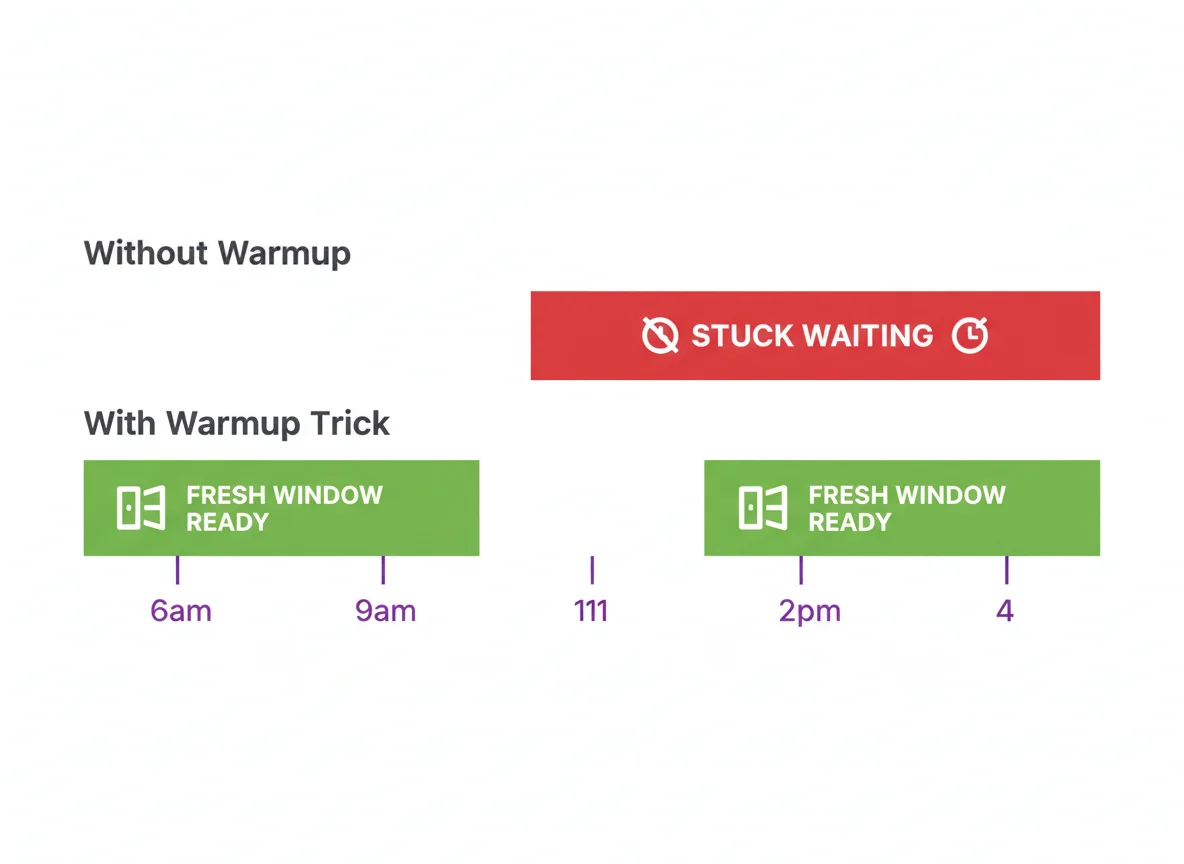
Send a throwaway “hi” message to Claude several hours before your real work starts. This burns your first 5-hour window while you sleep or prepare. By the time you exhaust your limit mid-morning, that first window has already expired and a fresh one is available immediately.
Nathan Onn, who documented the session overlap technique, describes it as “scheduling intelligently” within existing constraints rather than bypassing any rules.
No extra messages are gained, and your total quota stays exactly the same.
What changes is the timing of when your fresh window arrives.
| SCENARIO | WITHOUT WARMUP | WITH WARMUP |
|---|---|---|
| Warmup sent | None | 6:00 AM |
| Real work starts | 9:00 AM | 9:00 AM |
| Limit hit | ~11:00 AM | ~11:00 AM |
| Fresh window arrives | 2:00 PM (wait 3h) | 11:00 AM (immediate) |
| Productive afternoon | Lost | Available |
The key is calculating how long before your real work starts you need to send the warmup message.
The rule of thumb is 2–4 hours before your typical start time, adjusted so the warmup falls outside the weekday peak window.
Vibe coders who ship consistently tend to have predictable daily routines, which makes this technique especially effective for them.
4 How to Automate the Warmup with claude-warmup
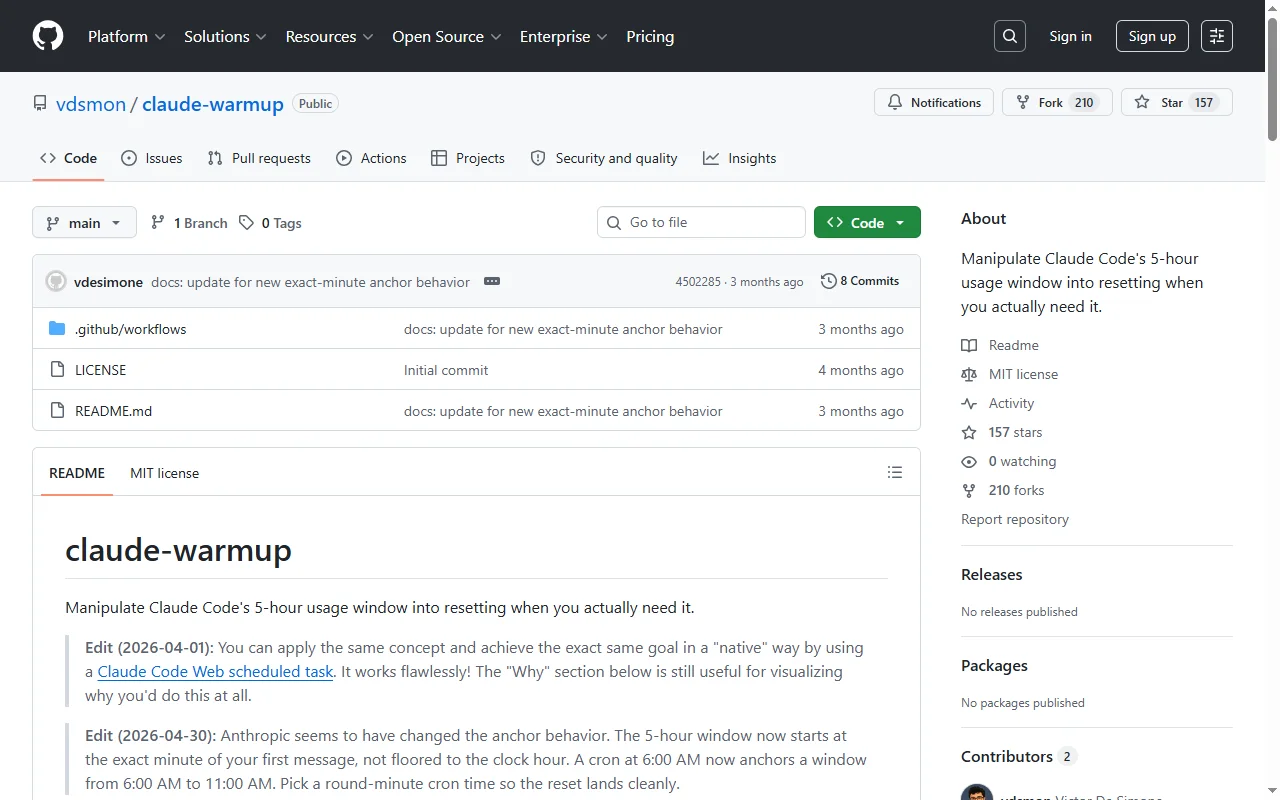
The open-source tool claude-warmup uses GitHub Actions to send a single “hi” message to Claude Haiku on a scheduled cron, anchoring your 5-hour window automatically each weekday. Setup takes under 10 minutes.
The repository, published by developer vdsmon, was forked 123 times and starred 125 times within weeks of publication, signalling how urgently the developer community needed this fix.
The warmup ping itself costs negligible tokens as a single “hi” message to Claude Haiku with no context uses an insignificant fraction of any session’s budget.
The CLI command:
claude -p "hi" --model haiku --no-session-persistence
Run this locally or via GitHub Actions cron. The --no-session-persistence flag prevents the ping from creating a conversation history that could interfere with future sessions.
Setup Steps
-
1
Fork the repository Run
gh repo fork vdsmon/claude-warmup --cloneto create your own copy. -
2
Generate an OAuth token Run
claude setup-tokenon a machine already logged into Claude Code. The token begins withsk-ant-oat01-. -
3
Store as a GitHub Secret Run
gh secret set CLAUDE_OAUTH_TOKENand paste your token. GitHub Actions will use this to authenticate. -
4
Set your cron schedule Edit
.github/workflows/warmup.yml. The default is15 9 * * 1-5(weekdays at 09:15 UTC). See the calculator below to find your ideal time. -
5
Verify it worked Run
/usagein Claude Code after the first scheduled run to confirm the window reset time has shifted to your intended hour.
For developers running Claude Code on a remote server or VPS, the GitHub Actions approach is preferable to a local cron job since GitHub’s runners operate independently of your machine being switched on.
According to the Claude Code official documentation, each scheduled task starts a full independent session and counts against the same usage limit as an interactive session, so the warmup does draw a trivial amount from your quota.
Source: Portkey.ai, Usagebar.com, 2026. Values are midpoints of published ranges (Pro: 40–80h, Max 5x: 140–280h, Max 20x: 240–480h).
If you prefer not to use GitHub Actions, Claude Code’s built-in agent mode supports scheduled routines that can trigger the same warmup ping directly from the desktop app without any external tooling.
5 When to Schedule: Peak Hours vs Off-Peak
Avoid scheduling your warmup between 5am and 11am PT on weekdays. During these peak hours, Anthropic confirmed that Claude burns through session limits faster even for identical workloads. Evenings and weekends are significantly more efficient.
In March 2026, Anthropic tightened limits during weekday peak hours in response to a surge in new users.
According to J.D. Hodges’s analysis, Claude reached the number one position on the US App Store for the first time that month, driven by a 30% month-on-month increase in web traffic, and Anthropic adjusted peak-hour capacity in response.
The off-peak promotion that had offered 2x usage during evenings and weekends ended on 28 March 2026, but off-peak hours remain meaningfully less congested than the weekday morning window.
| TIME WINDOW | STATUS | RECOMMENDATION |
|---|---|---|
| 5am–11am PT (8am–2pm ET) weekdays | Peak: avoid | Do not schedule warmup here |
| 11am–5am PT weekdays | Off-peak | Good for warmup scheduling |
| All hours, weekends | Off-peak | Best efficiency |
The ideal warmup schedule for most UK and European vibe coders is a cron set to fire between 4am and 6am UTC on weekdays, which anchors the 5-hour window to a 4:00 or 5:00 AM start time and ensures a fresh window is available by the time the typical 9:00–10:00 AM working session begins.
For context on how large language models like Claude handle usage at scale, the peak-hour mechanics reflect real infrastructure constraints rather than arbitrary throttling.
6 What Happens to Your Weekly Cap
The warmup trick only affects the 5-hour rolling window. A separate 7-day rolling weekly cap, introduced in August 2025, cannot be manipulated by warmup timing. Once exhausted, the full 7-day period must expire before it resets.
This is the most important caveat, and many guides that discuss the warmup trick omit it entirely.
Claude Code maintains two independent limit systems that operate simultaneously.
| LIMIT TYPE | RESETS AFTER | WARMUP TRICK WORKS? |
|---|---|---|
| 5-hour rolling window | 5 hours from first msg | Yes |
| 7-day weekly cap | 7 days rolling | No |
The weekly cap was introduced on 28 August 2025 and affects fewer than 5% of subscribers according to Portkey.ai’s reporting.
Heavy users hitting the weekly cap need either a plan upgrade or a reduction in token consumption per session.
Per Nicholas Rhodes’s analysis, settings.json configuration tweaks can reduce Claude Code’s token consumption by 60–80%, which significantly extends how long before the weekly cap is reached.
The context window also plays a role: Max plan subscribers have access to a 1M token context window, while Pro plan users remain capped at 200K tokens per session, meaning Pro users burn through weekly hours faster on equivalent tasks.
For reference on understanding the range of tools available, the vibe coding glossary covers both context windows and session limits in plain language.
7 Anthropic Does This Internally: The Warmup Is Official
Claude Code’s own CLI injects an internal “Warmup” message at the start of every session using the same clock-anchoring principle. A lightweight Haiku call fires with parentUuid set to null and isSidechain set to true, pre-loading the session before real work begins. Anthropic introduced this in v2.0.17.
This detail, documented in GitHub Issue #10392 on the official claude-code repository, fundamentally validates the technique.
The community’s warmup trick and Anthropic’s internal implementation are functionally identical: send a cheap, stateless Haiku message to anchor a session window before the expensive main model takes over.
| VERSION | SESSIONS WITH WARMUP INJECTION | PERCENTAGE AFFECTED |
|---|---|---|
| v2.0.15 | 0 / 19 | 0% (working) |
| v2.0.17 | 6 / 19 | 31.6% |
| v2.0.24 | 29 / 58 | 50.0% |
| v2.0.26 | 15 / 23 | 65.2% (peak) |
The bug documented in Issue #10392 was not that Anthropic used a warmup message, but that it set parentUuid to null, which severed the connection to previous conversation history and broke the --continue flag.
The warmup mechanic itself was working as intended.
For vibe coders evaluating whether to use this technique, the fact that Anthropic’s own tooling relies on the same pattern is a meaningful signal that the approach is stable and supported rather than a loophole that may break in future releases.
Developers considering alternatives such as Cursor or other AI coding tools face different limit structures, but the session-anchoring principle is unique to Claude’s rolling window model.
Methodology
This research was conducted on 20 April 2026 by the CodingWithVibe Research Team.
- Sources consulted: 25, including 4 official/primary sources, 9 quality secondary sources, and 6 YouTube videos
- Sources cited: 13
- Verification standard: Hero stat cross-verified (2+ independent sources); key findings cross-verified or verified from primary sources
- Data range: August 2025 (weekly cap introduction) through April 2026
- Freshness: 18 of 22 facts drawn from 2026 sources; 2 from ongoing 2025 GitHub issues still actively relevant
- Last verified: 20 April 2026
- Update schedule: Quarterly, or when Anthropic publishes limit changes
- Limitations: Message-per-session figures vary by model complexity and file size; ranges reflect community observations and may not match every user’s experience. The clock-hour anchoring mechanic is documented by community sources and the claude-warmup repository, not by Anthropic’s official documentation.
Frequently Asked Questions
Does the Claude 5-hour limit reset at midnight?
No. Claude uses a rolling 5-hour window that starts from your first message. If you send your first message at 9 AM, your limit refreshes at 2 PM, regardless of what time of day it is. There is no midnight reset or fixed daily quota. Learn more about how Claude works.
What is the Claude warmup trick?
The warmup trick involves sending a single minimal message (“hi”) to Claude early in the morning, typically 2–4 hours before you plan to start working. This anchors your 5-hour window to that early time, so by the time you hit your limit mid-morning, the window has already expired and a fresh one is available immediately. No extra messages are gained, and only the timing changes.
How do I automate the Claude warmup trick?
Use the open-source tool claude-warmup (github.com/vdsmon/claude-warmup). Fork the repository, run claude setup-token to generate an OAuth token, store it as a GitHub Actions secret, and set a cron schedule 2–4 hours before your typical start time. The tool automatically runs claude -p "hi" --model haiku --no-session-persistence on your schedule. The ping costs negligible tokens.
Does the warmup trick give you more messages?
No. Your total message quota stays exactly the same. The trick redistributes when your fresh window is available so it aligns with when you actually need it, rather than expiring in the middle of your most productive working hours. Nathan Onn, who documented the session overlap technique, describes it as “scheduling intelligently” within existing constraints.
Does the warmup trick work for the weekly cap too?
No. The warmup trick only affects the 5-hour rolling window. A separate 7-day rolling cap exists independently, and once exhausted, no amount of window manipulation helps: the full 7-day period must expire before it resets. Understanding your context window usage is the most effective way to extend time before hitting the weekly cap.
What is the best time to schedule the Claude warmup?
Schedule it 2–4 hours before your typical work start time and outside the 5am–11am PT (8am–2pm ET) weekday peak window. Limits burn faster during peak hours even for identical workloads. Evenings and weekends are most efficient. UK and European vibe coders typically schedule warmups between 4am and 6am UTC on weekdays.
Does Anthropic use a warmup message in Claude Code itself?
Yes. Claude Code’s own CLI injects an internal “Warmup” message at the start of sessions using the same principle, a lightweight Haiku call that pre-loads the session before actual work begins. This was introduced in v2.0.17 and was present in 65.2% of sessions at its peak (v2.0.26), as documented in GitHub Issue #10392 on the official anthropics/claude-code repository.
Sources & References
- vdsmon. “claude-warmup.” GitHub, April 2026. github.com/vdsmon/claude-warmup. Accessed 20 April 2026.
- Anthropic. “How do usage and length limits work?” Claude Help Centre, 2026. support.claude.com. Accessed 20 April 2026.
- Onn, Nathan. “How to Double Your Claude Code Usage Limits Without Upgrading to Max.” nathanonn.com, 2026. nathanonn.com. Accessed 20 April 2026.
- apidog. “How to Stop Running Out of Claude Code Limits Every Day.” apidog.com, April 2026. apidog.com. Accessed 20 April 2026.
- CometAPI. “When Does Claude Code Usage Reset?” cometapi.com, 2026. cometapi.com. Accessed 20 April 2026.
- Usagebar. “When Does Claude Code Usage Reset?” usagebar.com, 2026. usagebar.com. Accessed 20 April 2026.
- Truefoundry. “Claude Code Limits: Quotas & Rate Limits Guide.” truefoundry.com, 2026. truefoundry.com. Accessed 20 April 2026.
- Hodges, J.D. “Claude AI Usage Limits: What Changed in 2026.” jdhodges.com, 2026. jdhodges.com. Accessed 20 April 2026.
- Anthropic. “Bug: claude –continue Broken by Warmup Message Injection.” GitHub Issue #10392, anthropics/claude-code, 2025–2026. github.com. Accessed 20 April 2026.
- Anthropic. “Run prompts on a schedule.” Claude Code Docs, 2026. code.claude.com. Accessed 20 April 2026.
- Portkey.ai. “Everything We Know About Claude Code Limits.” portkey.ai, 2026. portkey.ai. Accessed 20 April 2026.
- Rhodes, Nicholas. “Claude Usage Limits: Why You’re Running Out Faster.” Substack, 2026. nicholasrhodes.substack.com. Accessed 20 April 2026.
- LaoZhang AI Blog. “Claude Daily Limit in 2026.” blog.laozhang.ai, 2026. blog.laozhang.ai. Accessed 20 April 2026.
Last updated: 20 April 2026. CodingWithVibe Research Team. We experiment with the tools so you don’t have to guess.