Hostinger Horizons Review (2026): The AI Builder That Ships for You
Key Takeaways
- → This Hostinger Horizons review covers a product that bundles build, host and domain together, the only major AI app builder at this price with hosting included
- → Horizons bundles build + host + domain in one product, the only major AI app builder at this price point that includes hosting as standard (Hostinger, 2026)
- → Three paid tiers plus a free trial: $6.99/mo Explorer (30 credits), $13.99/mo Starter (70 credits), $39.99/mo Hobbyist (200 credits + code editor) (Hostinger pricing page, July 2026)
- → Stack is Node.js/React/Vite only: PHP, Python, Ruby, and native mobile app output are not supported on any tier
- → Code access is locked behind the $39.99/mo Hobbyist tier: Lovable and Bolt offer code access on all paid tiers, including their cheapest plans
- → Verdict: best fit for vibe coders who want zero DevOps overhead and one monthly bill; wrong choice if you need Python or PHP, plan to self-host later, or want code portability from day one
Most AI coding tools solve the build problem but leave you alone with the deploy problem.
You finish your first app on Lovable or Bolt, feel genuinely proud of what you made, then spend the next two hours staring at Vercel config files, Netlify environment variables, and DNS records you have never seen before.
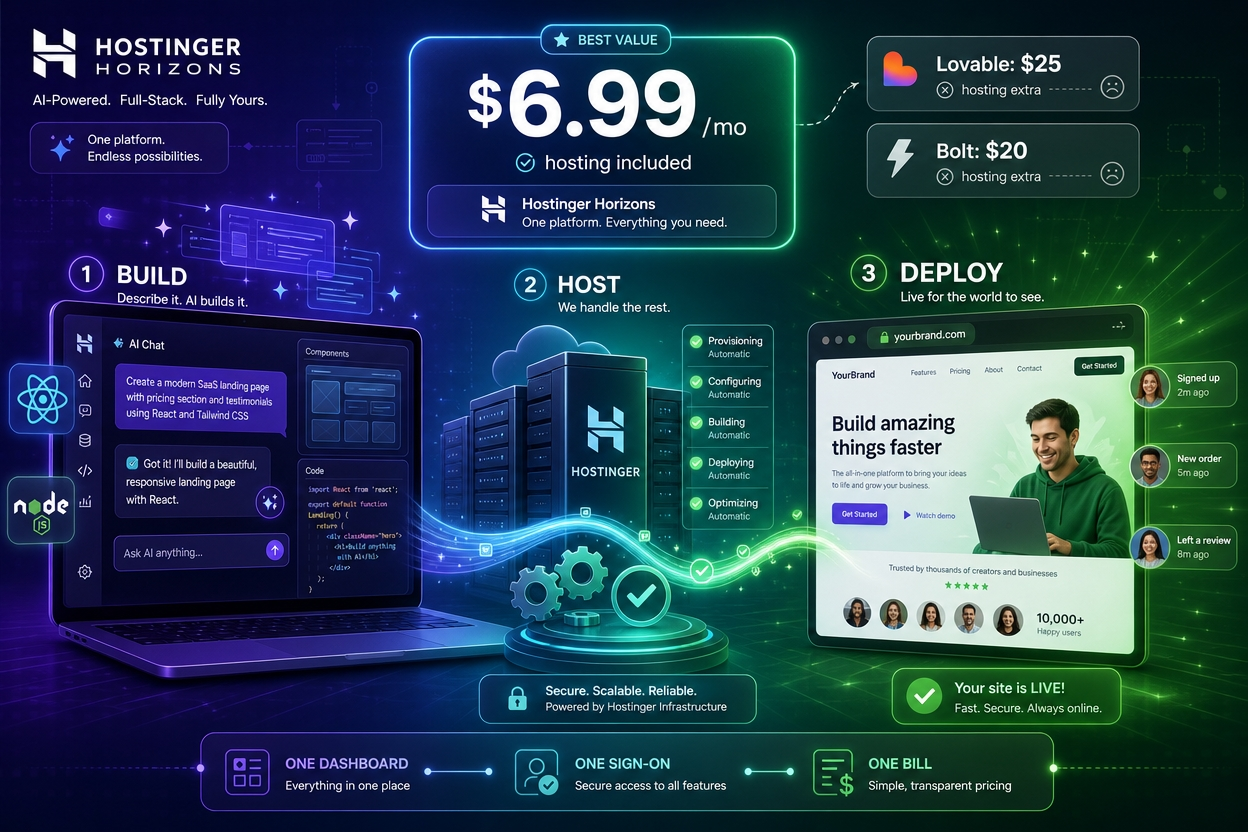
Hostinger Horizons takes a different position: build it, host it, and deploy it, all inside one dashboard, under one monthly subscription.
This review covers what that promise actually delivers, where it falls short, and whether the pricing makes sense for non-developer vibe coders.
1 Hostinger Horizons Review: What It Actually Is
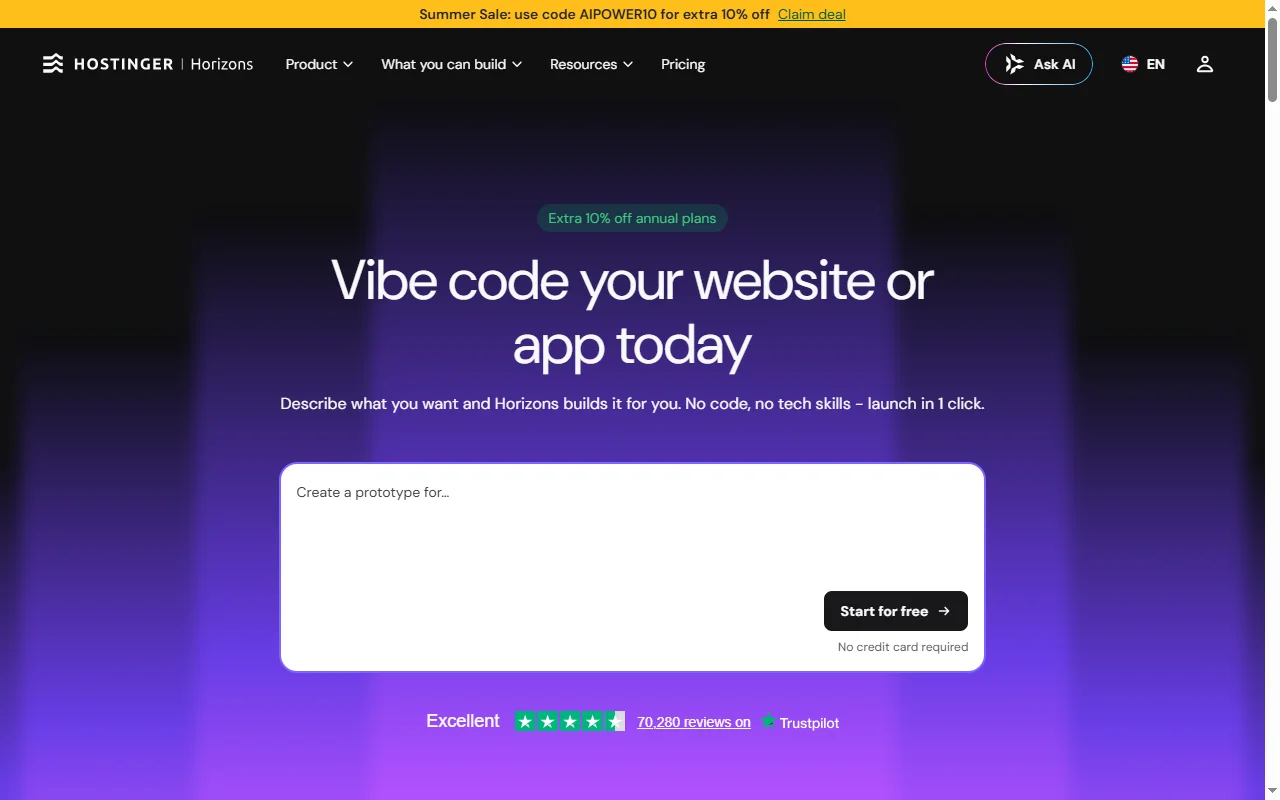
Hostinger Horizons is an AI-powered app builder integrated directly into the Hostinger hosting platform.
You describe your app in plain English, the AI generates a full-stack Node.js/React application, and Hostinger deploys it to live servers with a domain assigned automatically.
No separate hosting step required.
Horizons launched as part of Hostinger’s push into the vibe coding market, where the company recognised that its existing customer base had overlapping needs with non-developers wanting to build and ship web apps.
The core product loop is: describe your app, the AI generates it, you preview it, then publish it.
That last step, publishing, is what separates Horizons from Lovable and Bolt.
With Lovable or Bolt, deploying your finished app requires a separate account on Vercel, Netlify, or another hosting provider, plus a domain registration, plus the configuration to connect the two.
With Horizons, those steps collapse into a single “Deploy” button, because Hostinger is both the builder and the host.
The underlying stack is Node.js with React and Vite on the frontend, which covers most common web app patterns: dashboards, SaaS tools, portfolios, content sites, and simple CRUD applications.
What it does not cover is addressed in section 4.
2 Pricing: Four Tiers, One Honest Look
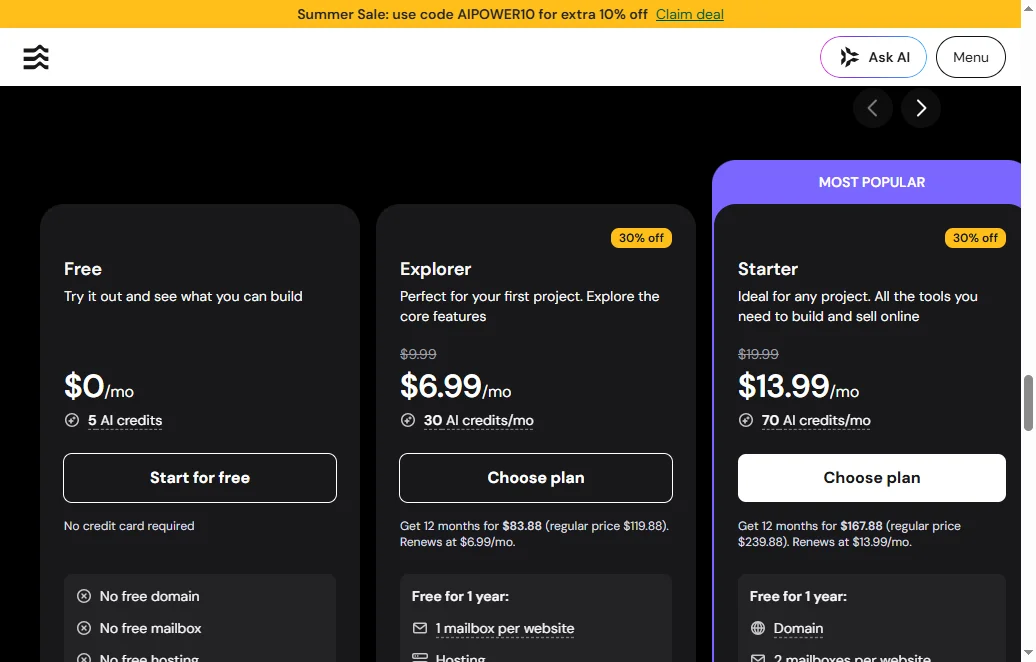
Horizons uses a credit-based model: a free trial plus three paid monthly tiers.
The key decision point is not which tier to start on: it is whether you need code access, because the code editor is locked to the most expensive plan.
| Plan | Price/mo | AI Credits/mo | Code Access | Best For |
|---|---|---|---|---|
| Free | $0 | 5 | No | A one-off trial to see what you can build |
| Explorer | $6.99 | 30 | No | A first single project with hosting included |
| Starter | $13.99 | 70 | No | Building and selling: up to 25 sites, payments, analytics |
| Hobbyist | $39.99 | 200 | Yes | Power users who want the code editor and up to 50 sites |
| Source: Hostinger Horizons pricing page (verified July 2026, summer-sale pricing shown). Prices in USD; annual billing lowers the monthly equivalent. | ||||
Credits are consumed when you generate new app sections, request AI edits, or regenerate components.
Simple prompt-and-deploy projects use fewer credits; iterative debugging sessions consume them faster.
The Starter plan at $13.99/mo is the practical recommendation for most non-developers, since it is the cheapest tier that lets you sell subscriptions and products, add payments, and build more than one site.
Credit allowances are modest and metered per AI action, so heavy prompting and debugging can run a tier dry; Starter and above let you top up credits when that happens.
The Hobbyist plan at $39.99/mo is primarily for users who want the code editor to see, download, or edit the raw code directly.
For a non-developer who never intends to touch the code, that top-tier code editor is irrelevant, and Starter is the better value.
Compared to the broader market: Lovable costs about $25/mo and Bolt about $20/mo, and both include code export at all paid tiers.
Horizons wins on entry price but locks code access to its top tier, a trade-off worth understanding before you commit.
3 Who Horizons Actually Suits
Horizons is the right tool for a specific profile: a non-developer building a Node.js-compatible web app who wants to avoid DevOps entirely, pay a single monthly bill, and stay within a single vendor’s ecosystem.
The clearest use case is a vibe coder who has tried Lovable or Bolt, built something they like, then hit a wall at the deployment step.
If the deployment wall is your main friction point, Horizons removes it completely.
The next clearest use case is someone starting fresh who wants to avoid the multi-account setup that most AI app builders require: builder, host, and domain registrar are three separate accounts with three separate billing cycles on every competing platform.
Horizons also suits users who already have a Hostinger account for other projects, because Horizons integrates directly into hPanel (Hostinger’s existing control panel), meaning no new dashboard to learn.
Horizons suits projects in the “simple but live” category: portfolio sites, basic SaaS dashboards, internal tools, content-heavy apps, and lead capture pages.
It suits people who do not intend to own or modify the source code, at least at the start.
It suits people who value simplicity of management over flexibility of infrastructure.
The profile it does not suit is covered in section 4.
4 Real Limitations to Know Before You Sign Up
Horizons has four structural limitations that its marketing does not foreground.
None are deal-breakers for the right user profile, but each one is a deal-breaker for the wrong profile.
Stack lock-in: Node.js only
Horizons generates Node.js applications with a React/Vite frontend.
This covers most common web app patterns, but it excludes Python (Django, Flask, FastAPI), PHP (WordPress, Laravel), Ruby on Rails, and any native mobile app output (iOS or Android).
If your project requires Python for data processing or machine learning integration, Horizons cannot build it.
If you are building anything that needs to run on a phone as a native app, Horizons is not the right tool: it generates web apps accessible on mobile browsers, but these are not the same as native applications and cannot be submitted to app stores.
Code access is paywalled
On the Explorer ($6.99) and Starter ($13.99) plans, you cannot download your source code.
This means that if you decide to leave Horizons, migrate to a different host, or hire a developer to extend your app, you will need to upgrade to Hobbyist ($39.99) first.
For users who plan to own their code eventually, this is an important consideration: the migration path is not free.
Lovable and Bolt both include code export at all paid tiers, which is a meaningful advantage for users who value portability.
Credit burn rate on complex iterations
As with all credit-based AI builders, complex debugging sessions consume credits faster than straightforward builds.
If you ask the AI to fix a broken feature repeatedly, each attempt costs credits regardless of whether it succeeds.
The entry Explorer plan, at just 30 credits a month, is quickly exhausted by anything beyond a single small build with minimal revision.
Users building iteratively should budget for the Starter plan at minimum, use its credit top-ups, and still expect to run low before month-end if iterating heavily on a complex project.
Smaller community than established builders
Lovable has over 8 million users and a large community of tutorials, prompt templates, and workarounds on Reddit, YouTube, and Discord.
Horizons is a newer product with a smaller community, which means fewer answers when something goes wrong and fewer ready-made prompt templates to speed up your builds.
This is a gap that will close over time, but it is a real friction point for users who rely on community resources to get unstuck.
5 Deployment Workflow: What Building Actually Looks Like
The Horizons build-to-deploy workflow has four steps.
It is the shortest deployment path of any AI builder reviewed on this site, because building and hosting are managed in the same interface.
- Describe your app. Write a plain-English prompt explaining what you want to build, for example: “A lead capture page for my freelance design business with a contact form and a portfolio section.” Horizons generates an initial version and shows it in a preview panel.
- Refine with AI chat. Use the built-in chat interface to request changes: adjust colours, add a pricing section, change the form fields, or restructure the layout. Each instruction consumes credits. Review the preview after each change before approving it.
- Deploy with one click. When you are satisfied with the preview, click Deploy. Horizons publishes your app to Hostinger’s servers and assigns a Hostinger subdomain automatically. No environment variables, no build pipeline, no Vercel account required.
- Connect your own domain. Inside hPanel (Hostinger’s existing control panel), connect a custom domain you already own, or purchase one through Hostinger. DNS propagation typically takes under an hour on Hostinger’s infrastructure.
The entire process, from initial prompt to a live custom domain, can be completed in under two hours for a straightforward project.
This compares favourably to the typical Lovable or Bolt workflow, where the deployment step alone can take two to four hours for a first-time user navigating Vercel or Netlify configuration.
The limitation worth noting: fixing bugs or adding features after launch consumes credits from your monthly allowance, just as the initial build does.
A complex post-launch iteration session can cost the same or more than the original build if the AI struggles with the changes, so budget accordingly.
6 Horizons vs Lovable vs Bolt
Horizons wins on hosting integration and entry price.
Lovable and Bolt win on code access at lower tiers, stack flexibility, and community size.
No single tool is best on all dimensions.
| Feature | Horizons | Lovable | Bolt |
|---|---|---|---|
| Hosting bundled | Yes, included | No (Vercel/Netlify) | No (Netlify) |
| Entry price | $6.99/mo | $25/mo | $20/mo |
| Code export | $39.99/mo only | All paid tiers | All paid tiers |
| Stack flexibility | Node.js only | React/Next.js | React/Vite |
| Custom domain | Included | Extra | Extra |
| Community size | Small (new product) | 8M+ users | Large |
| Dashboard complexity | Single hPanel | Multi-platform | Multi-platform |
| Sources: Hostinger Horizons, Lovable, and Bolt pricing pages, May 2026. “Win” designations are relative to this comparison, not absolute quality ratings. | |||
The comparison is genuinely context-dependent.
If you plan to migrate your code to a different host within 12 months, or if you want a developer to take over the codebase later, Lovable and Bolt’s code access at lower tiers is a significant advantage over Horizons.
If you want to own your code completely with no monthly fee attached to keeping it live, none of these three tools is the right starting point: learn to use a full vibe coding workflow with Cursor or Claude Code and a VPS instead.
If your priority is the simplest possible path from idea to live URL, and you are building a standard web app with no Python or mobile requirements, Horizons is the least complex option available at this price point.
7 Verdict and Recommendation
Our Verdict
Best for: Non-developers who want a live web app without touching hosting configuration, DevOps, or multiple vendor dashboards.
Particularly strong if: You already use Hostinger for other projects, or if the deployment step has previously stopped you from shipping.
Not recommended for: Projects requiring Python, PHP, or mobile output. Users who need code access from day one without paying $39.99/mo. Builders who depend on a large community for tutorials and troubleshooting.
Recommended tier: Starter ($13.99/mo) for most vibe coders. Explorer ($6.99/mo) only for a first single project before committing. Hobbyist ($39.99/mo) only if you actively need raw code access.
Hostinger Horizons earns its place in the vibe coding toolkit for one specific reason: it removes the deployment step entirely.
That step is, based on community feedback consistently seen on Reddit and in our own email inbox, the point where the most non-developer builds go from “almost done” to “abandoned”.
The limitations are real: the Node.js constraint excludes a meaningful set of projects, the code access paywall is a frustrating decision from a user-trust perspective, and the community is thin compared to Lovable or Bolt.
But for a vibe coder building a Node.js-compatible web app who wants to see it live on a real domain today, without learning Vercel, without configuring DNS from scratch, and without paying separate hosting fees on top of a builder subscription, Horizons is the most frictionless path currently available.
Start on Starter, build your first project, and evaluate whether the limitations affect you before committing to an annual plan.
Try Hostinger Horizons and have your first app live today, no hosting setup required.
Start on Hostinger Horizons →Frequently Asked Questions
What is Hostinger Horizons?
Hostinger Horizons is an AI-powered app builder integrated with Hostinger’s hosting platform.
You describe your app in plain English, the AI generates a full-stack Node.js/React application, and Hostinger deploys it to live servers with a domain assigned automatically, all inside the same dashboard.
How much does Hostinger Horizons cost?
Horizons has a free trial plus three paid monthly tiers: Explorer at $6.99/mo (30 credits), Starter at $13.99/mo (70 credits), and Hobbyist at $39.99/mo (200 credits plus the code editor).
The Starter plan is the practical choice for most vibe coders building and iterating on a regular basis.
Can I export my code from Hostinger Horizons?
Code access is only available on the Hobbyist plan ($39.99/mo).
On the Explorer and Starter plans, you can build and deploy apps but cannot download or edit the raw source code.
If you need code portability from day one, Lovable and Bolt both include code export at all paid tiers and may be better choices.
What kind of apps can I build with Hostinger Horizons?
Horizons builds Node.js applications with React and Vite on the frontend.
This covers most common web app types: landing pages, portfolio sites, SaaS dashboards, internal tools, lead capture pages, and basic CRUD applications.
It does not support Python, PHP, Ruby, or native mobile app output (iOS or Android).
How does Hostinger Horizons compare to Lovable?
Horizons wins on entry price ($6.99/mo vs $25/mo) and on deployment simplicity: hosting is bundled, so no separate Vercel or Netlify account is needed.
Lovable wins on code access at lower tiers, community size (8 million+ users), and stack maturity.
The right choice depends on whether deployment friction or code portability is your bigger concern.
Is Hostinger Horizons good for beginners?
Yes, for a specific type of beginner: one building a Node.js-compatible web app who wants to avoid multi-platform setup.
The single-dashboard workflow removes the configuration steps that most beginners find most discouraging.
It is less suited to beginners who want a large community of tutorials and troubleshooting resources, where Lovable currently has a stronger advantage.
Does Hostinger Horizons include a free trial?
Check the current Hostinger Horizons page for any active trial or money-back guarantee, as promotional terms change frequently.
Hostinger’s standard hosting plans include a 30-day money-back guarantee, and Horizons may carry similar terms, but verify on the pricing page before purchasing.
Sources & References
- Hostinger. “Horizons: Build and Deploy AI-Powered Web Apps.” hostinger.com/horizons. Accessed 1 May 2026.
- Hostinger. “Horizons Pricing.” hostinger.com/horizons#pricing. Accessed 16 July 2026.
- TechCrunch. “Lovable says it’s nearing 8 million users.” techcrunch.com. November 2025. Accessed 1 May 2026.
- Bolt.new. Pricing page. bolt.new/pricing. Accessed 1 May 2026.
- Lovable.dev. Pricing page. lovable.dev/pricing. Accessed 1 May 2026.
Last updated: 16 July 2026 | By CodingWithVibe Research Team